 Airy

Airy for Windows: lossless audio player for PCPure sound.
Clean design.
Airy is a native, lossless audio player for Windows 10 and 11. Drop in your music and press play. No account, no streaming, no tracking.
Free to download. Airy Upgrade is a one-time purchase.
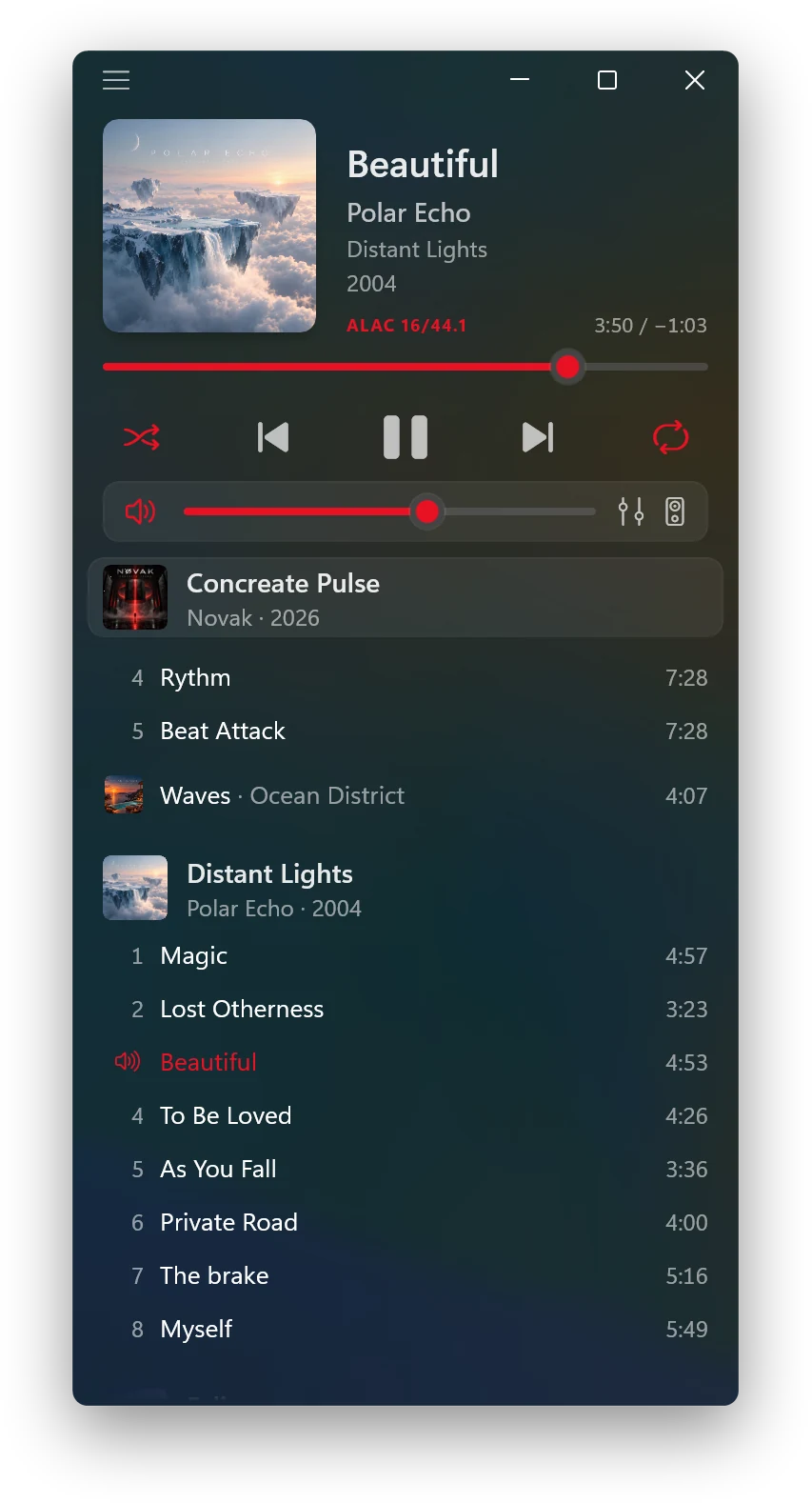
Your music, the way it was recorded.
Big artwork and a quiet, beautiful window that feels like it belongs to Windows 11.
Lossless and hi-res
FLAC, ALAC, WAV and AIFF in their original resolution. Airy shows each file's real format, e.g. FLAC 24/96.
Gapless playback
Live albums, DJ mixes and classical works play without a break between tracks.
Native and light
Built only with Microsoft's own WinUI 3 and Windows App SDK, with no third-party code. Fast to start and light on your PC.
Windows 11 design
Mica and acrylic, Fluent icons and Windows' own controls, in Light and Dark. It looks like it came with Windows.
Private by design
No account, no analytics, no ads. Your music and your playlist stay on your PC.
Album-first playlist
Songs grouped by album, with covers. Drag and drop from Explorer to add and reorder, instant search, undo and redo.
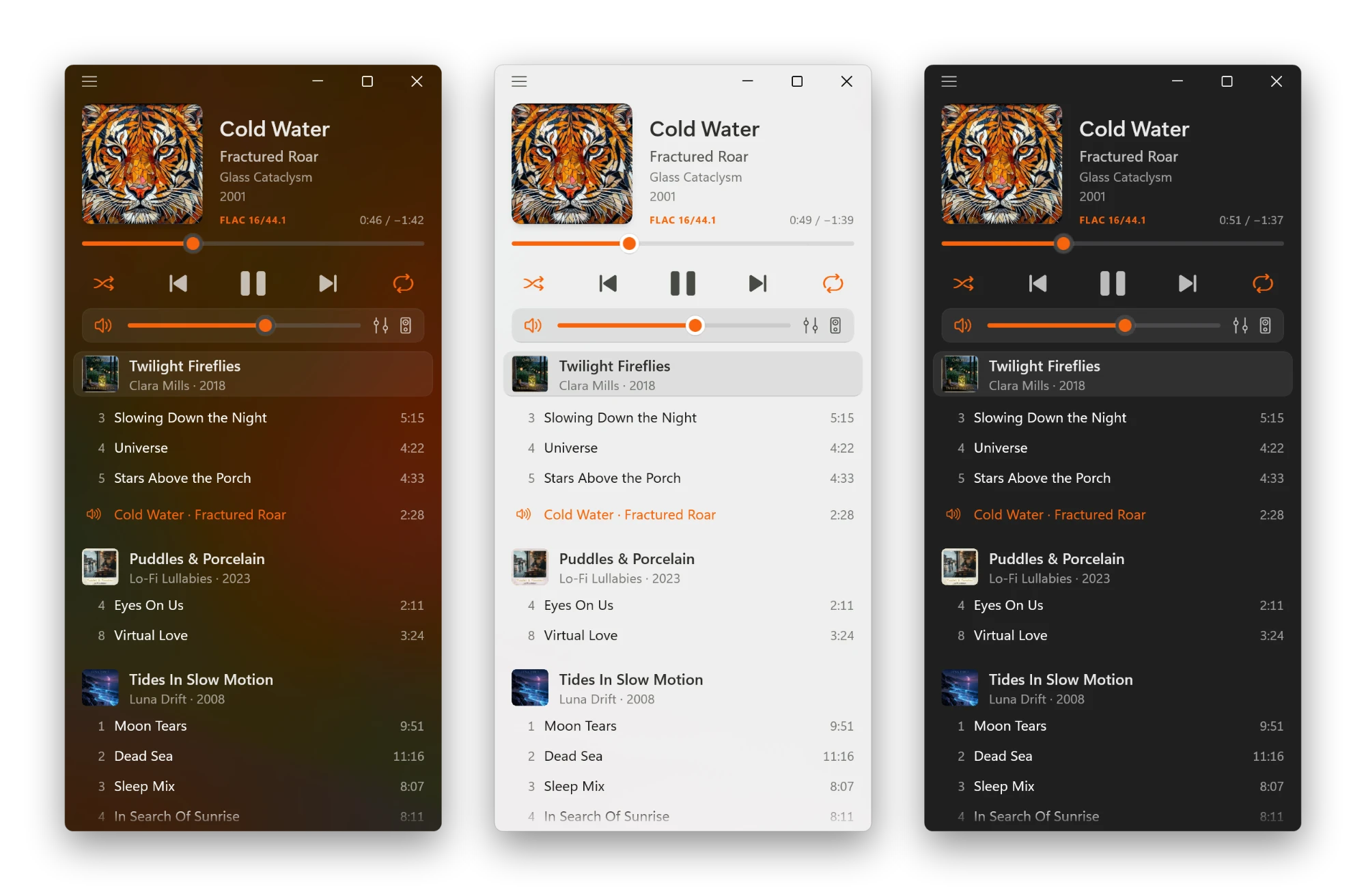
Light, Dark and your own color.
Airy follows Windows' Light and Dark mode, or gets its own. Pick an accent color, use Windows' own, or let the Dynamic color follow each album cover.
Frosted, Dynamic and Solid styles change how much of your desktop shines through.
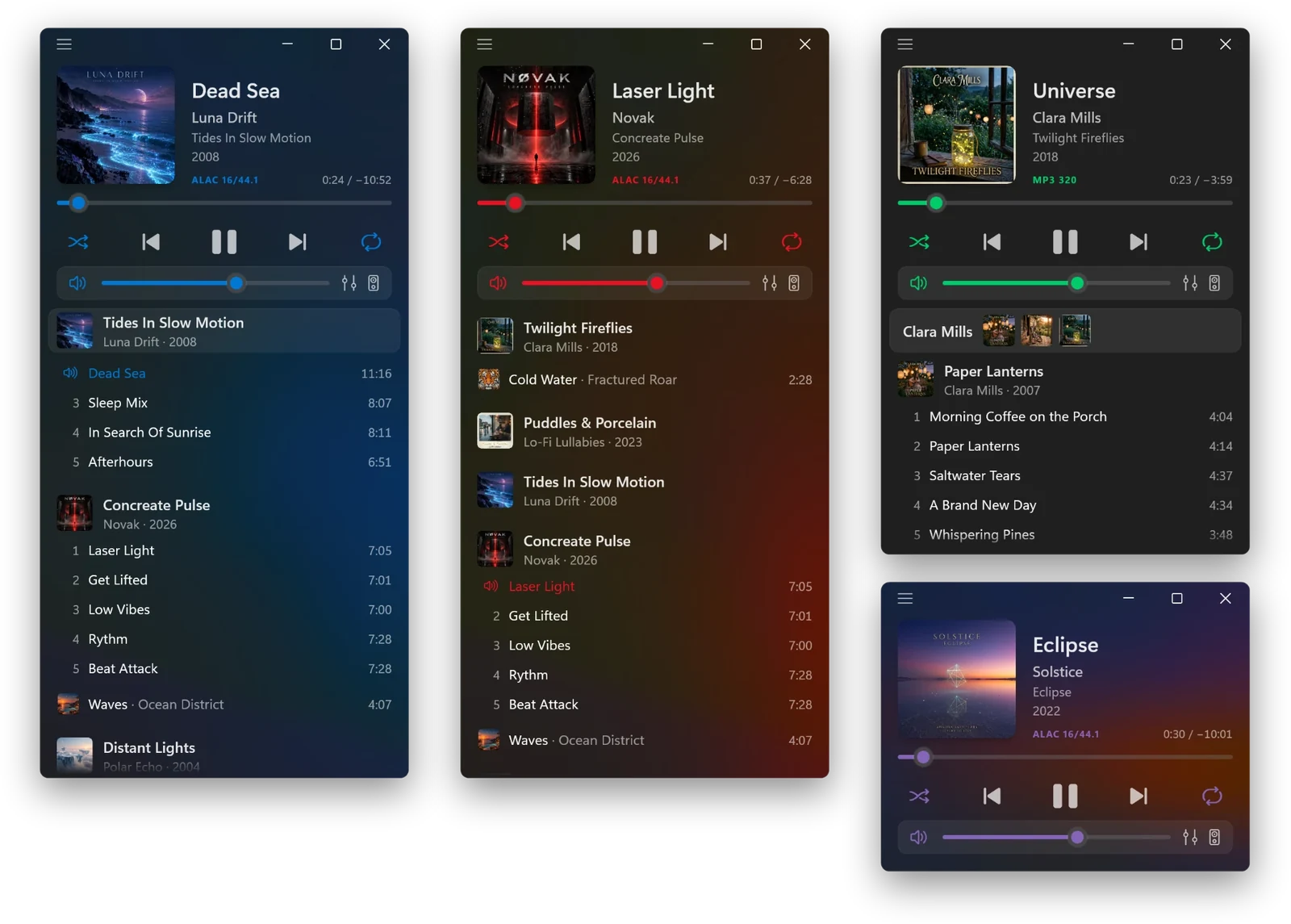
Your music, your way.
Pin Artist shows only one artist's albums, with their covers on top. Collapse Albums turns a long playlist into a tidy list of album names, and the one you pick opens.
Make the window as small as a compact player, or hide the cover, the volume bar or the window controls.
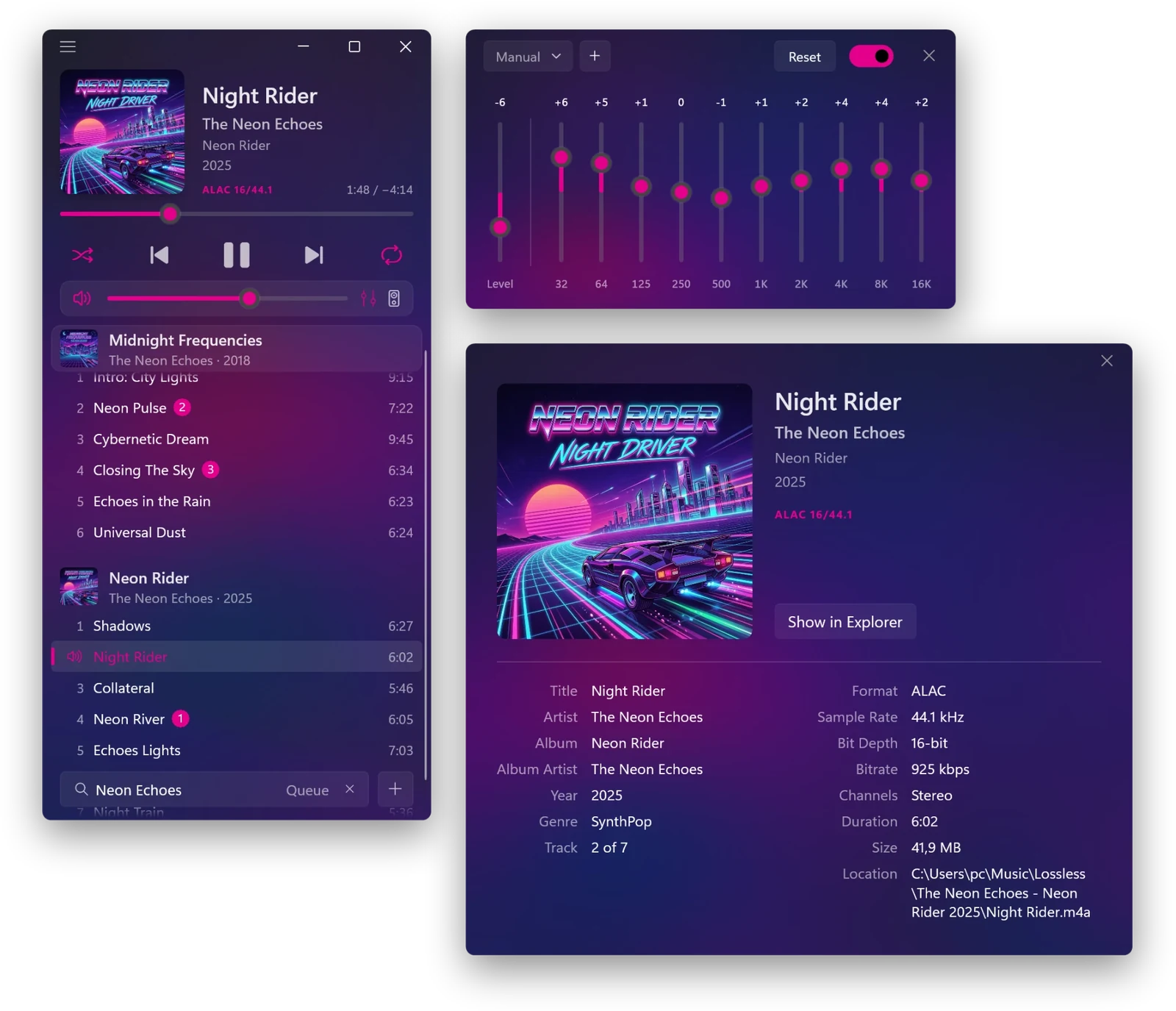
Tune every band.
A 10-band equalizer with 13 presets and your own, plus Level correction against distortion.
Send Airy to speakers, headphones or a USB DAC right from the volume bar, without changing the sound output of the rest of your PC.
Song Info shows every tag and file detail: format, sample rate, bit depth, bitrate, size and location. Also for several songs at once.
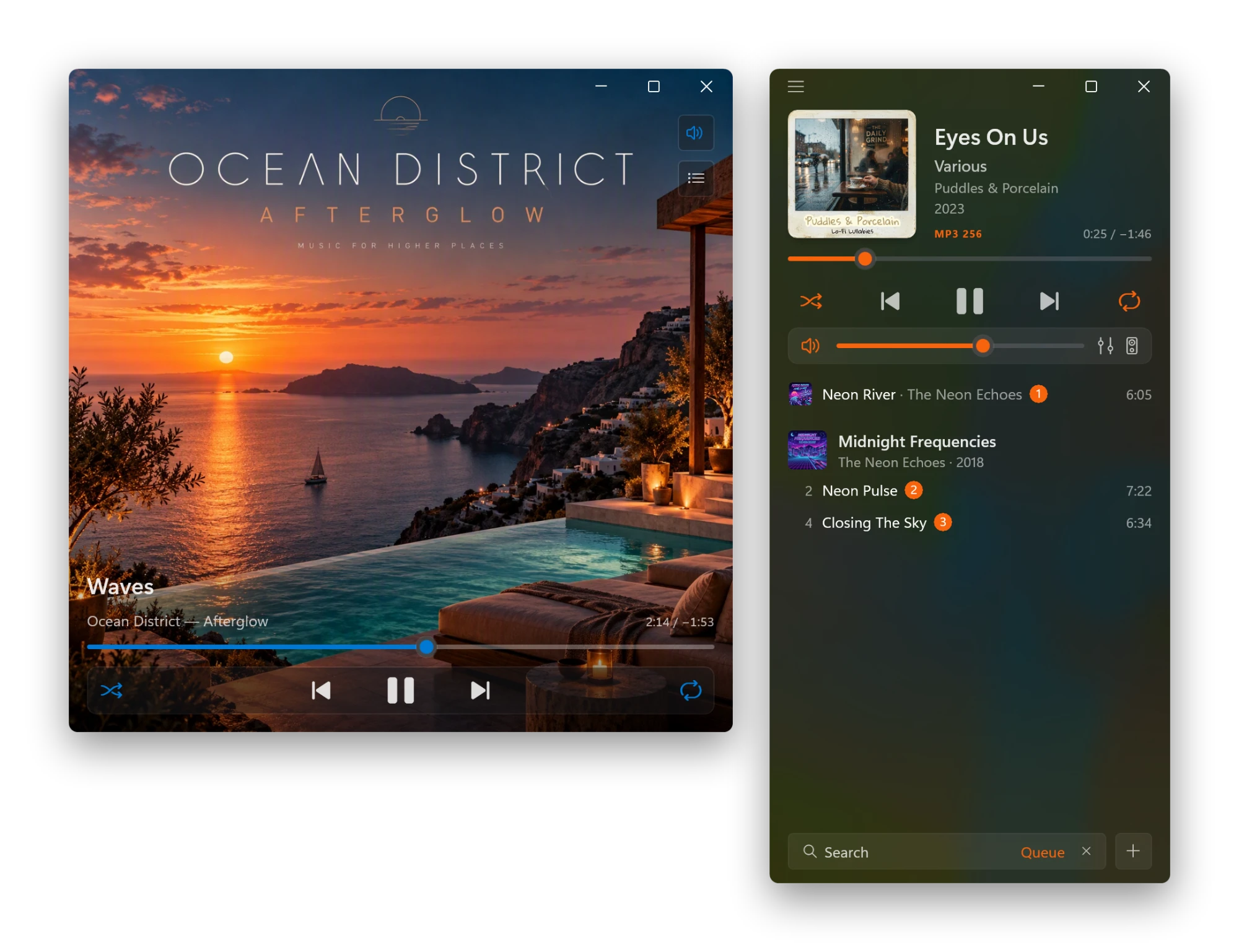
Just the artwork.
Pinch out on the touchpad or press Ctrl and scroll up on the cover, and the album art fills the window. The controls appear as you move the mouse, and your playlist is one click away.
Play Next and Add to Queue, with your queue right in the search field.
Everything Windows can play.
Airy uses Windows' own Media Foundation for decoding, with no third-party decoders.
OGG and Opus play when Microsoft's free Web Media Extensions are installed. Files Windows can't play (APE, WavPack, DSD, Musepack, TTA, TAK, MKA...) are still added to the playlist, greyed out, so nothing goes missing. They are skipped when playing.
Free to play. One purchase for more.
Airy Upgrade is a one-time purchase in the Microsoft Store. Yours forever, on all your PCs with the same Microsoft account.
Airy
Free
- Play, pause, skip, hold to rewind or fast-forward
- Shuffle and repeat
- A playlist grouped by album, with covers
- Drag and drop, undo and redo
- Sort by album, artist or title
- Instant search
- Follows Windows' Light and Dark
- Media keys, the volume flyout's player and headphone buttons
Airy Upgrade
One-time purchase, all your PCs
- Equalizer: 10 bands, 13 presets and your own
- Output: speakers, headphones or a USB DAC
- Queue: Play Next and Add to Queue, shown in the search field
- Styles: Dynamic and Solid, Light or Dark, your own accent color
- Cover Mode: only the album art, optionally kept on top
- Pin Artist: one artist's albums, their covers on top
- Collapse Albums: a tidy list of album names
- Song info: every tag and file detail, also for several songs
- Title - Artist or Artist - Title, pinned album names
- A resizable window with compact player sizes
- Hide the cover, the volume bar or the window controls
- Playlist export and every song action on right-click

Start free, upgrade anytime from inside the app.
How can we help?
Airy for Windows is a native, lossless audio player for Windows 10 and 11.
Adding music
Click + and choose Add Files… (Ctrl+O) or Add Folder… (Ctrl+Shift+O), or drag files and folders from Explorer into the playlist. FLAC, ALAC, WAV, AIFF, MP3, AAC (M4A), WMA, AC-3, E-AC-3, CUE sheets and M3U/PLS/XSPF/WPL playlists are supported.
Why only these formats?
Airy plays everything Windows itself can play, with Microsoft's own Media Foundation and no third-party decoders. That keeps it light, fast and as reliable as Windows, with every song in its original quality. Files in other formats (APE, WavPack, DSD, Musepack, TTA, TAK, MKA...) are still added to the playlist, greyed out, and skipped when playing.
Frequently asked questions
Which PCs does Airy run on?
Windows 10 version 2004 or later, or Windows 11, on x64 or ARM64 PCs.
Does Airy stream music or need an account?
No. Airy plays the music files on your PC and on drives you connect. There is no streaming service, no account and no sign-in.
What does Airy Upgrade include?
A 10-band equalizer, output device choice, Play Next and queue, Dynamic and Solid styles, Light/Dark and your own accent color, Title - Artist or Artist - Title, song info (also for several songs), playlist export, a resizable window with compact player sizes, hiding the cover, the volume bar or the window controls, your queue in the search field, Cover Mode (Keep Cover Mode on Top in the Window menu), pinned album names, Pin Artist, Collapse Albums, and every song action on right-click.
How do I restore my purchase?
Sign in to the Microsoft Store with the same Microsoft account, then open the ☰ menu and choose More > Restore Purchase.
Can I use Airy Upgrade on my other PCs?
Yes. It works on all your PCs with the same Microsoft account.
Why does Airy keep playing after I close the window?
Like a music app should: it stays in the notification area, next to the clock. Click its icon to bring the window back, or right-click it to play, pause, skip or quit.
Why is a song greyed out?
Either its format is one Windows has no decoder for (such as APE, WavPack or DSD, or OGG and Opus without Microsoft's Web Media Extensions), or its file isn't available right now, for example on a drive that isn't connected. Connect the drive and the song plays again.
Why won't MP3, AAC or FLAC play on my PC?
Windows "N" editions (sold mostly in Europe) come without Windows' media playback. Install Microsoft's free Media Feature Pack (Settings > Apps > Optional features), and MP3, AAC, FLAC and the rest play in Airy.
Where does Airy save my playlist and settings?
Only on your PC, in %LOCALAPPDATA%\Airy. Nothing is uploaded anywhere.
Questions or problems?
Write to us and please include your Windows version and what happened.
support@airyaudio.com